Strands
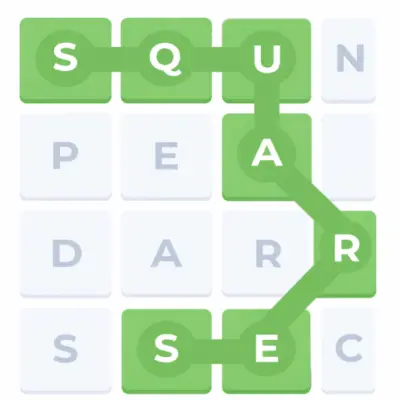
Play Strands online for free and dive into one of the most exciting word puzzle adventures you’ll find on the web! If you love exploring fun and clever games that make you think while having a great time, Strands is your next favorite challenge.
Kids and adults alike will enjoy finding themed words hidden in a colorful grid, like embarking on a treasure hunt made of letters!
Want to play the best games ever? Start with Strand — a game that’s simple to learn, super fun to play, and perfect for all ages. Click through to our games page and discover why everyone is talking about Strands!
About Strands
Strands is an exciting word puzzle game developed by The New York Times Games team. It was first released in 2023 as part of their collection of daily word challenges. The game is designed to be fun and educational, helping players of all ages improve their vocabulary, spelling, and problem-solving skills. Each puzzle in Vocabulary game features a grid of letters with hidden themed words and a special “Spangram” word that connects the entire puzzle. The game is simple to play yet challenging, making it perfect for kids, families, and word game enthusiasts.
Strands Gameplay
In this game, players face a 6×8 grid filled with letters. The goal is to find words that match a secret daily theme. Words can be connected in any direction—up, down, left, right, or diagonally. Players search for both regular themed words and a special “Spangram” word, which is usually longer and covers most of the grid. The game doesn’t provide a word list, so players must discover words themselves. Correctly finding words fills the puzzle, while making mistakes helps players learn and occasionally earn hints. Strands combines logical thinking, vocabulary skills, and a sense of exploration, making the gameplay engaging and rewarding.
Platforms
You can play this game directly in your web browser, whether you’re using a desktop, laptop, tablet, or mobile device.
How to Play Strands
- Look at the 6×8 grid of letters carefully to spot possible words.
- Identify words that match the secret daily theme, such as animals, food, or space.
- Connect letters in any direction to form a word: horizontally, vertically, diagonally, or backwards.
- Find the special “Spangram” word, which is the longest word and often connects opposite sides of the grid.
- Use hints wisely if you get stuck or find words that do not match the theme.
- Keep discovering words to complete the puzzle and uncover the full daily challenge.
Controls
Strands uses simple and intuitive controls. Players click or tap on letters in the grid to select them and form words. Dragging your finger or cursor over letters highlights them, and releasing confirms the word. The game automatically checks if the word matches the theme. This easy control system allows kids and beginners to play without confusion, making the game smooth and fun on all devices.
Tips and Tricks for Strands
- Start by scanning the grid for short words; they are often easier to find and help reveal longer words later.
- Focus on the theme first to guide your word search and avoid wasting time on unrelated words.
- Use diagonal and backwards connections; words in Strands can appear in any direction.
- Look for the “Spangram” early; finding it can help uncover multiple themed words quickly.
- Don’t hesitate to try different letter combinations; sometimes unexpected words match the theme.
- Use hints wisely when stuck to save time and learn new words.
- Take short breaks if needed; fresh eyes often help spot words you may have missed.
Features of Strands
- Daily puzzles with a new secret theme every day.
- 6×8 letter grid that challenges players to find themed words and a special Spangram word.
- Fun and educational gameplay suitable for kids, families, and word game enthusiasts.
- Easy to play on any device including desktop, tablet, or mobile.
- No word list is given, encouraging players to discover words themselves.
- Hints system that rewards learning from mistakes.
- Bright and colorful interface designed for smooth and enjoyable gameplay.
Strands Online
The version of Strands on our website is designed to play directly in your web browser without downloading anything. It works perfectly on all major browsers like Chrome, Firefox, Safari, and Edge.
Strands for free
You can play the modified version of Strands online for free without paying any fees or in-game purchases. All games on our website are completely free to enjoy.
Can you play Strands unblocked?
Yes, you can play Strands unblocked through our website ursiteurl.com. Whether you are at school, in class, at work, or on a break, you can enjoy the game without any restrictions.
Strands unblocked 76
By playing this game on our website, you don’t need to search for unblocked 76, unblocked 66, or unblocked iOS versions. The version we provide works on all networks and devices for free.
Strands on GitHub
Many players search for Strands on GitHub to bypass restrictions, but with our website, you don’t need to look for it. Our version works perfectly on all devices, whether you are in class or at work.
Download Strands
Many fans of Strands love the idea of downloading the game to play it directly on their devices for a smoother and faster experience. If you want to enjoy the game without opening your browser every time, here’s how you can do it:
1. If your device runs on Android, open the Google Play Store and search for “NYT Games: Wordle & Crossword”, then tap the install button to add the app to your phone or tablet. This app includes Strand inside it along with other fun word games.
2. If you use an Apple device like an iPhone or iPad, open the App Store and search “NYT Games: Wordle & Crossword”, then press install. This will add the official game collection to your device, including Strand when available.
3. For Android users who cannot find Strands in the Google Play Store, you can search for a safe Strands APK file and install it directly. Android lets you download and install APK files from trusted sources so you can play the game without the Play Store.
4. If you love playing games on your computer, you can also download word puzzle games for free from platforms like Steam and enjoy many word game collections right on your desktop or laptop.
Strands APK
For Android players who cannot access the official version in Google Play, you can download a Strands APK file directly. By finding a trusted APK, you can install the game on your phone without going through Google Play. This method lets you play Strand anytime you want without daily limits or missing out on features.
Official download links:
- Download “NYT Games: Wordle & Crossword” on the App Store — includes Strands in the game collection.
- Download “NYT Games: Wordle & Crossword” on Google Play — play Strands and more word games.
- Download Strands APK — for Android users who want a direct APK file.
Strands Chrome Extension
Many fans of Strands like playing the game directly in their browser without having to open the game website every time. A useful way to do this is by installing a Chrome extension that helps you get hints and play more easily straight from your browser toolbar. This extension can make playing feel faster and more fun, and it even works when you want a little help solving tricky word puzzles. For the official extension that gives hints and supports your daily Strands gameplay, you can download the Strands Hint extension from the Chrome Web Store. With this add‑on, you can play and improve your Strand skills anytime inside Chrome.
Strands Details
Release Date
Released in 2024 as part of The New York Times Games collection.
Developer
Created by The New York Times Games team, known for popular word and logic games.
Technology
A web-based game that runs smoothly on modern browsers across all devices, with no downloads or installation required.
Similar Games To Strands
FAQs
What is Strands?
It is a word puzzle game where you find themed words hidden inside a grid of letters and discover a special “spangram” that connects two sides of the board.
How do you play Strands?
To play this game, you connect letters in any direction—up, down, left, right, or diagonally—to find words that match the daily theme.
Can I get hints in Strand?
Yes! You earn hints by finding words that aren’t part of the theme, and these hints can help show where a themed word is located.
Is this brain teaser game free to play?
Yes, It is available free online so anyone can play without paying money.
Are mistakes penalized in Strand?
No! Wrong guesses do not cost you anything and can even help you earn hints.
Can I play Strands every day?
Yes, a new Strand puzzle with a fresh theme is available daily to keep the game exciting.
Can I play Strand on my phone?
Yes, you can play Strand on any phone, tablet, or computer as long as you have a web browser.
Is Vocabulary game good for kids?
Yes! Strand is fun and helpful for kids because it improves vocabulary and thinking skills while being easy to play.
Conclusion
Strands is a fun and exciting word puzzle game that helps players of all ages improve their vocabulary and thinking skills. Its daily puzzles and themed challenges make every play session unique and engaging, perfect for kids, families, and anyone who loves word games.
The game is easy to access on any device, whether you use a computer, tablet, or smartphone. With simple controls, hints, and a colorful grid, players can enjoy hours of brain-teasing fun while discovering new words and solving the special spangram puzzles.
If you are ready to have fun and boost your word skills, don’t wait! Play Strands online for free now on our website and start your adventure today.
Strands
Play Strands online for free and enjoy a fun word puzzle game for all ages. No download, no login needed. Easy to play, learn words, and have fun anytime.
Price Currency: usd
Operating System: Windows, Chrome OS, Linux, MacOS, Android, iOs
Application Category: Game
4.1
Gameplay Video